SOLUTION :
We can change the logging levels for QuarkXPress Server which include, change the log level for QuarkXPress Server errors, QuarkXPress Server transactions and other activity.
To change QuarkXPress Server log level,
-
Navigate to location: C:\Program Files\Quark\QuarkXPress Server 2020\conf
-
Open "log4j2.xml" in a text-editing application.
-
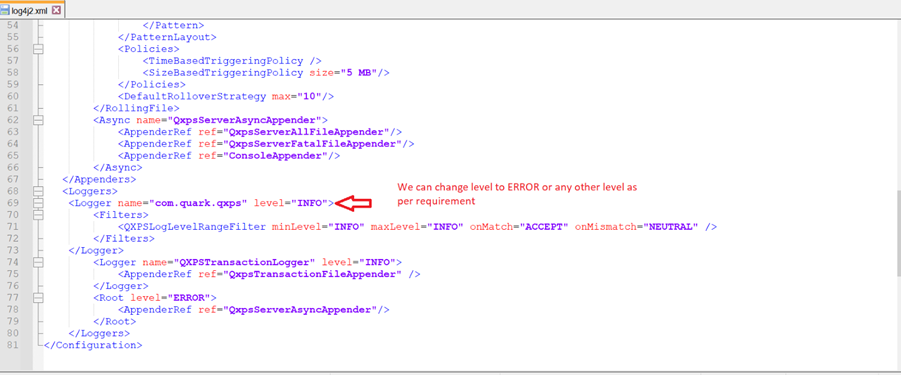
To define the logging level for QuarkXPress Server errors, scroll to <logger name=com.quark.qxps
-
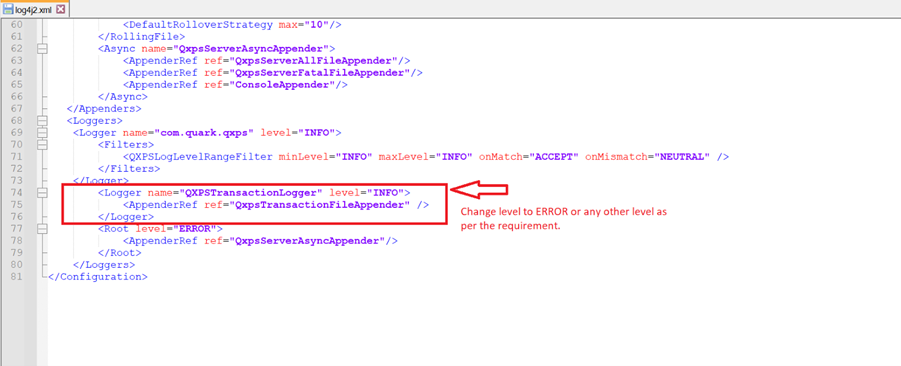
To define the logging level for QuarkXPress Server transactions, scroll to <logger name=QXPSTransactionLogger
-
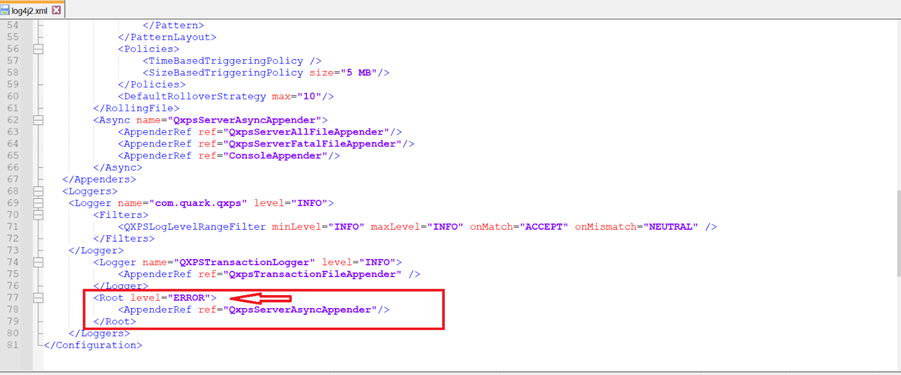
To define the logging level for other activity, scroll to the <root>
9. Restart QuarkXPress Sever to make the changes effective.
Priyanka Bhotika
Comments