Steps
- To increase the number of sub-renders for QXPS, navigate to C:\Program Files\Quark\QuarkXPress Server 2019\conf
- QuarkXPress Server 2019 – (The version installed can vary)
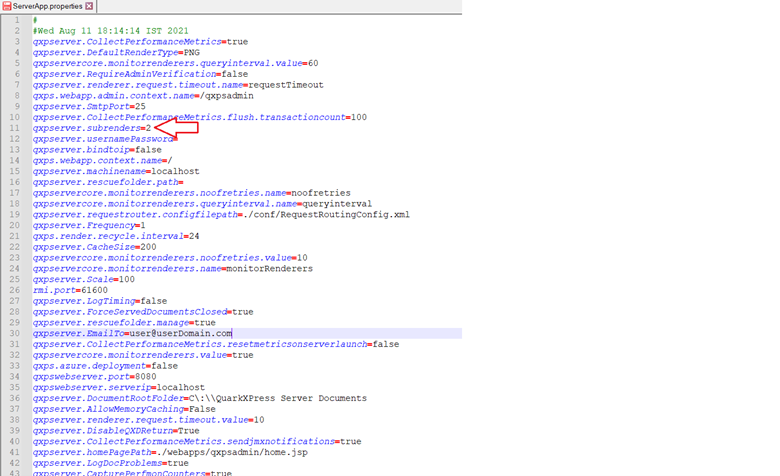
- Open the ServerApp.properties file in notepad or notepad++ and you can see the following xml data-
- As per the allocated sub-renders, you can increase the count in the following field: qxpserver.subrenders=2(Example if the maximum no. of sub-renders allotted are 8, so you can enter the value up to 8 and cannot enter more than this value)
- After making the change, save the file and restart QuarkXPress Server.
Priyanka Bhotika
Comments