Solution: There are two files through which a user can change the port number of Quark Xpress Server i.e., ServerApp.properties and Server.XML.
Step 1:
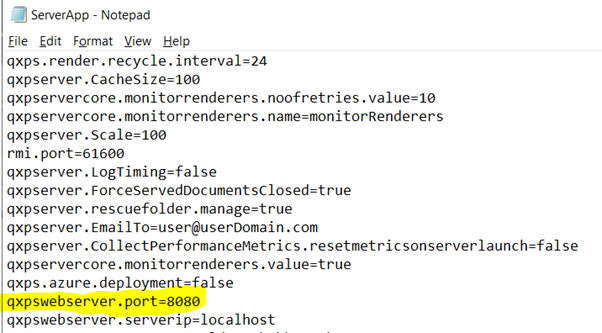
- Open the "ServerApp.proprties" file located in the C:\Program Files\Quark\QuarkXPress Server 2019\conf folder in a text editing application and modify it as follows:
- Replace port number 8080 by 8081 (say) or the one which is required to configure for QuarkXPress Server. (Refer the below screenshot)
- Save and close "ServerApp.properties."
- Restart the QuarkXPress Server.
Step 2:
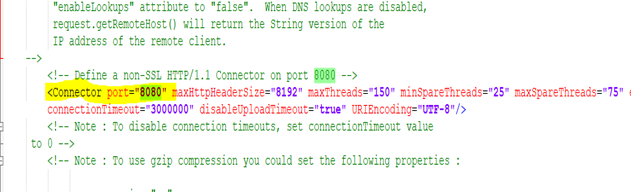
- Open the "Server.XML" file located in the C:\Program Files\Quark\QuarkXPress Server 2019\conf folder in a text editing application and modify it as follows:
- Replace port number 8080 by 8081 (say) or the one which is required to configure for QuarkXPress Server. (Refer the below screenshot)
- Save and close "Server.XML"
- Restart the QuarkXPress Server and run the URL request as http://SeverIP:8081 (as set above)
Priyanka Bhotika
Comments