At times the end user faces issues related to the PDF preview or publishing of smart / QXA document as PDF. In order to isolate the conflict, we need template.qxp and modifier xml
Applies to: Quark publishing platform Server 15.x and 14.x, QuarkXpress Server15.x & 14.x, Quark XML Author / Quark Web Author
Solution:
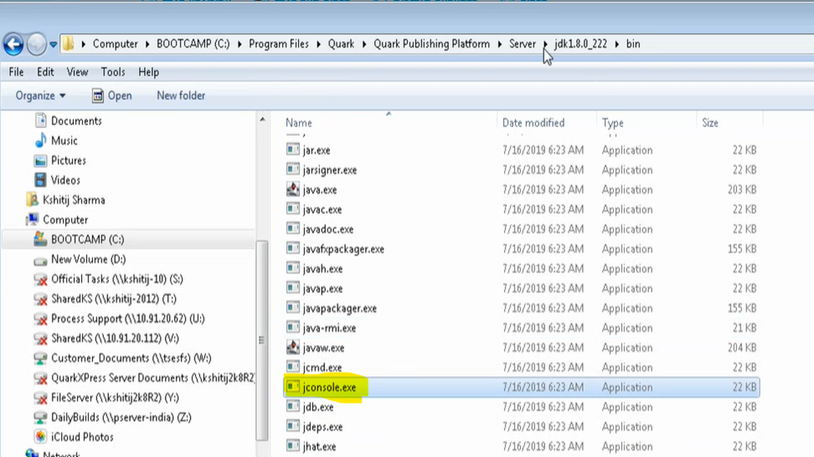
1. On Quark Platform Server machine. Open Jconsole.exe located under C:\Program Files\Quark\Quark Publishing Platform\Server\server-jre-8u131\jdk1.8.0_131\bin
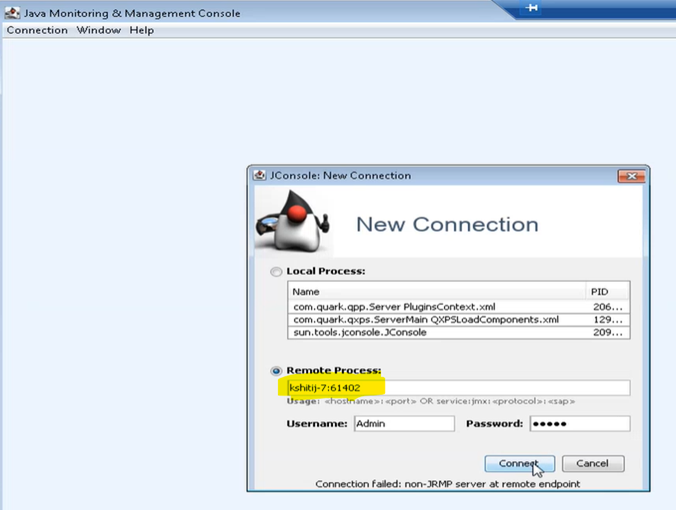
2. Login to Jconsole using the following information and click connect.
- Select "Remote Process" and enter "localhost:61402"
- username and password can be left blank.
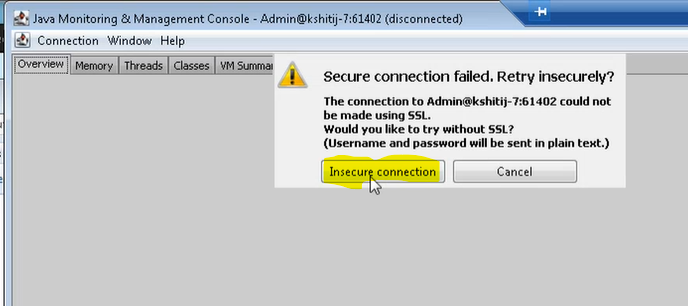
3. Click "Insecure Connection" on following dialog window:
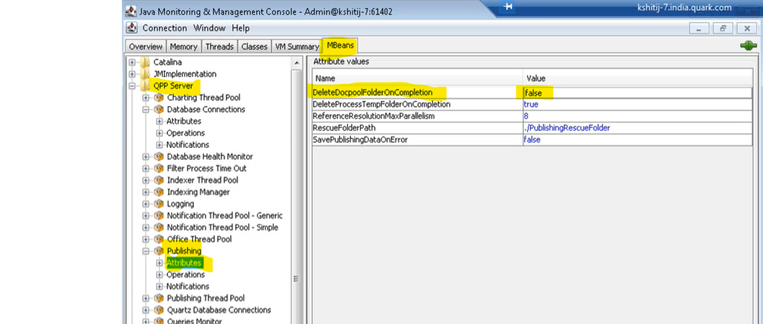
4. Navigate to MBeans tab >> Expand QPP Server >> Expand Publishing >> Attributes.
5. Enter 'false' next to 'deleteDocpoolFolderOnCompletion' field and then click Refresh button at the bottom of the dialog box
Refer the below screenshot:
6. Now, try to publish PDF or generate preview of the document (depending upon the issue being faced)
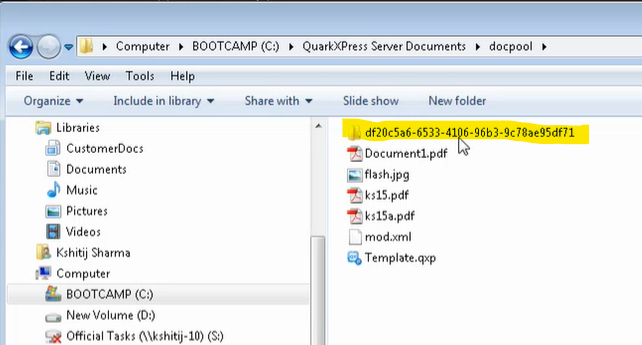
7. On QuarkXPress Server machine, navigate to C drive >> QuarkXPress Server documents >> look for the folder that is created most recently. Kindly zip this folder and send it to Quark Support for further analysis.
Temporary folders would look something like this:
8. Once you get the folder, please change the parameter "'deleteDocpoolFolderOnCompletion" back to "true" in Jconsole on the Platform Server Machine (QPP).
Priyanka Bhotika
Comments