Solution:
-
Go to QuarkXPress Server URL: localhost8080
- If you click Manage Fonts, a list of fonts installed on the Server machine is displayed.
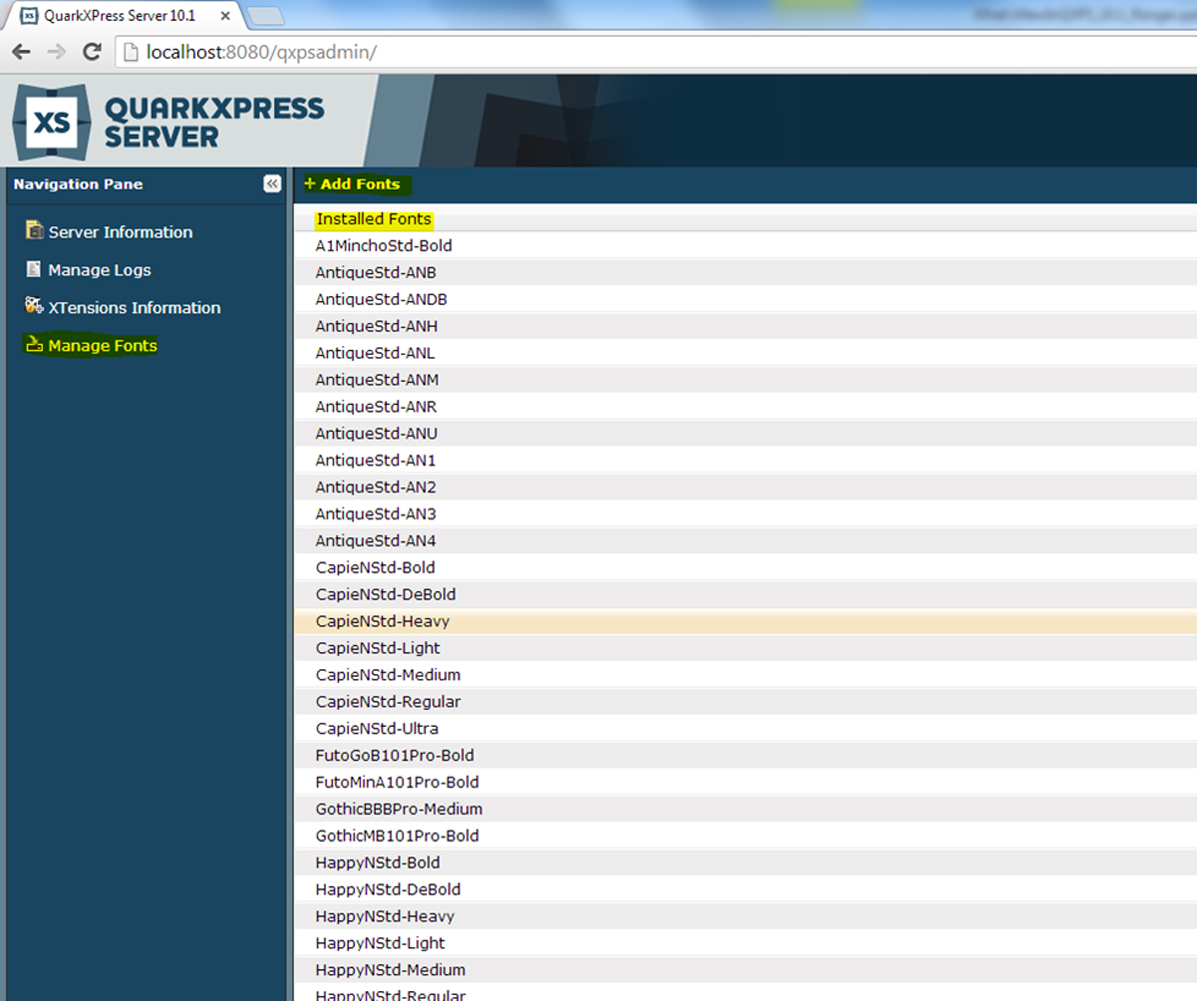
To search fonts, use the list search box in the top right corner.
To add fonts to the Server machine, click the Add Fonts button. This will copy the fonts to the "privatefonts" folder in the QuarkXPress Renderer folder.
Sample location: C:\Program Files\Quark\QuarkXPress Server 2018\webapps\ROOT\QuarkXPressServerRenderer\PrivateFonts
Priyanka Bhotika
Comments