Summary: The request "timeout" allows you to specify the timeout value for rendering. It is set to 10 minutes by default.
Solution:
Following are the steps to configure the timeout value in QuarkXPress Server:
- To configure QuarkXPress Server prior to launch, navigate to below location:
- C:\Program Files\Quark\QuarkXPress Server 2020\conf
- Open ServerApp.properties file for editing.
- Navigate to below snippet:
-
qxpserver.renderer.request.timeout.name = requestTimeout qxpserver.renderer.request.timeout.value = 10
- Change the value as per your requirement. You can increase the timeout value as per the file size.
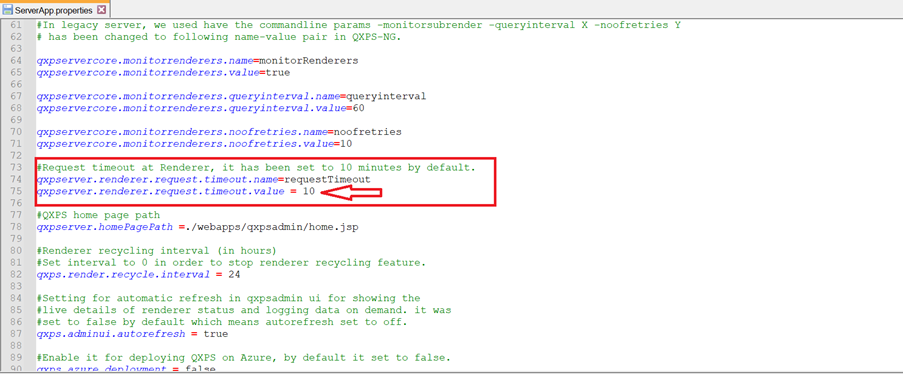
This is how we can set or change the timeout value in QuarkXPress Server.
Priyanka Bhotika
Comments